Fiscalise receipts from any system
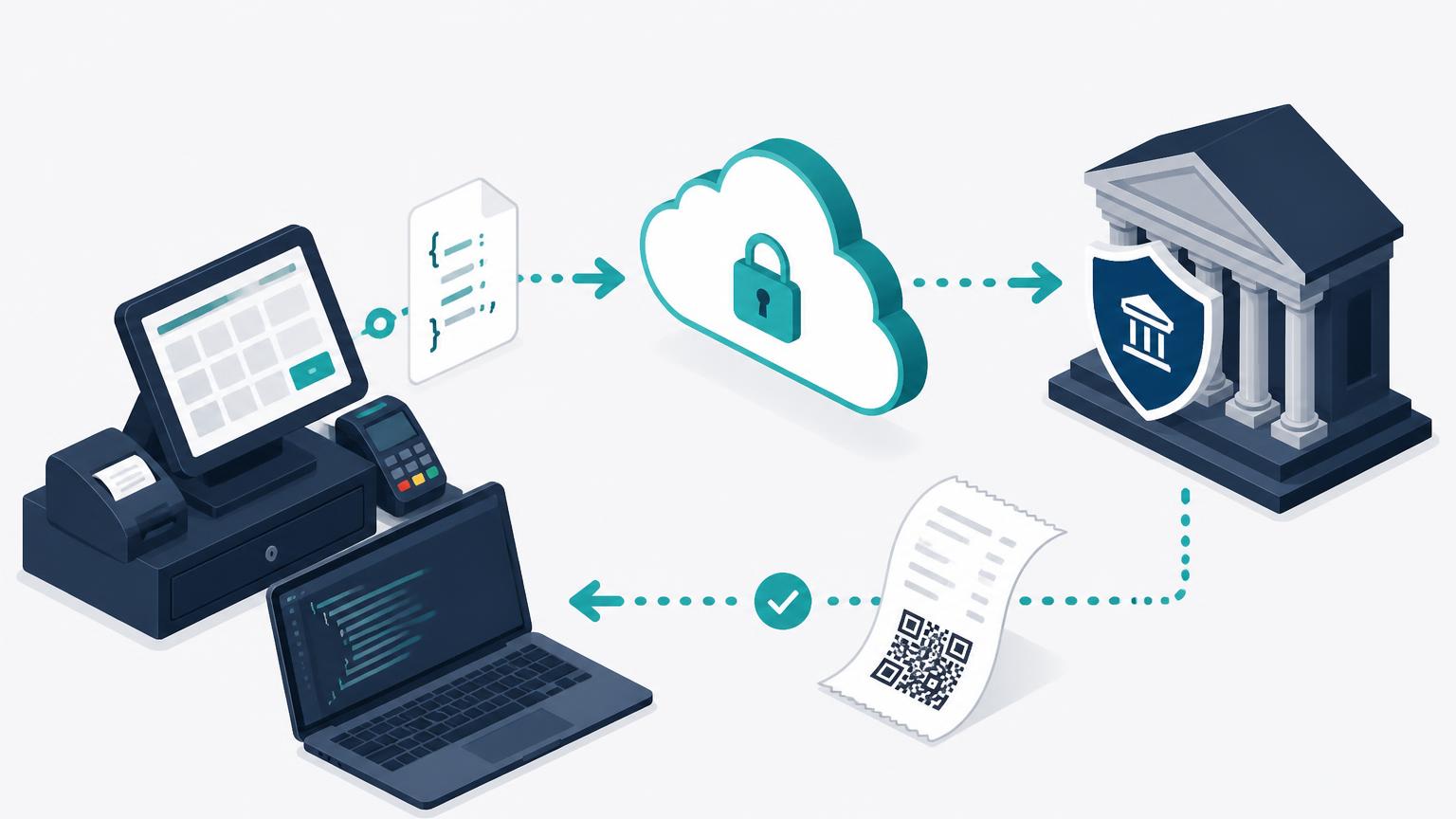
One documented JSON contract for any POS, ERP or e-commerce platform. Post a completed sale and get back the ZIMRA fiscal data plus a print-ready receipt — 80mm/58mm ESC/POS bytes or an A4 PDF. You write no receipt layout code.
Any system
Canonical schema, plus a lenient resolver for common field-name variants.
Print-ready
80mm / 58mm ESC/POS bytes and an A4 PDF, built on our side.
Secure
Per-merchant revocable API tokens and HMAC-SHA256 signed webhooks.
Start here: request an FDMS test device
Test devices are provisioned by QRFRS, not self-service. Email support@qrfiscalreceipt.com with the merchant name and TIN, and we set up a ZIMRA test device, portal account and API token for you before you start coding.
Integration in six steps
From first email to a live merchant. Most integrations take two to five working days.
- 1
Contact QRFRS for a test device
Before you write any code, email us and we set up an FDMS test device for you on the ZIMRA test environment. Self-service test devices are not available yet — every sandbox is provisioned by our team so the certificate, taxes and fiscal day are correct from day one.
- Tell us the merchant name, TIN and VAT number (or use ours for a pure sandbox).
- We register the test device, open a fiscal day and create the merchant portal account.
- You receive the portal login plus a test API token — usually within one business day.

- 2
Get the API token
The merchant opens their QRFRS portal, goes to Settings → External API and generates a token. One token per merchant, revocable at any time. Send it on every request.
Authorization: Bearer <api_token> - 3
Post each completed sale
One HTTP call per sale, and one per refund (a CREDIT_NOTE referencing original_receipt_number). We fiscalise with ZIMRA and answer in the same response.
curl -X POST https://qrfiscalreceipt.com/api/public/v1/receipts?formats=escpos80 \ -H "Authorization: Bearer <api_token>" \ -H "Content-Type: application/json" \ -d '{ "receipt_number": "INV-000123", "receipt_date": "2026-08-28T10:15:00Z", "receipt_type": "SALE", "currency": "USD", "branch_id": "SHOP-01", "device_id": "TILL-2", "lines": [ { "description": "Baby food puree", "hs_code": "21041000", "quantity": 5, "unit_price": 1.00, "line_total": 5.00, "tax_code": "A", "tax_rate": 15 } ], "payments": [{ "method": "Cash", "amount": 5.00 }], "total": 5.00 }' - 4
Print what comes back
Write the ESC/POS bytes straight to the thermal printer, or open the A4 PDF. If you prefer your own layout, print our qr_url and verification_code on it — both are mandatory on a ZIMRA fiscal receipt.
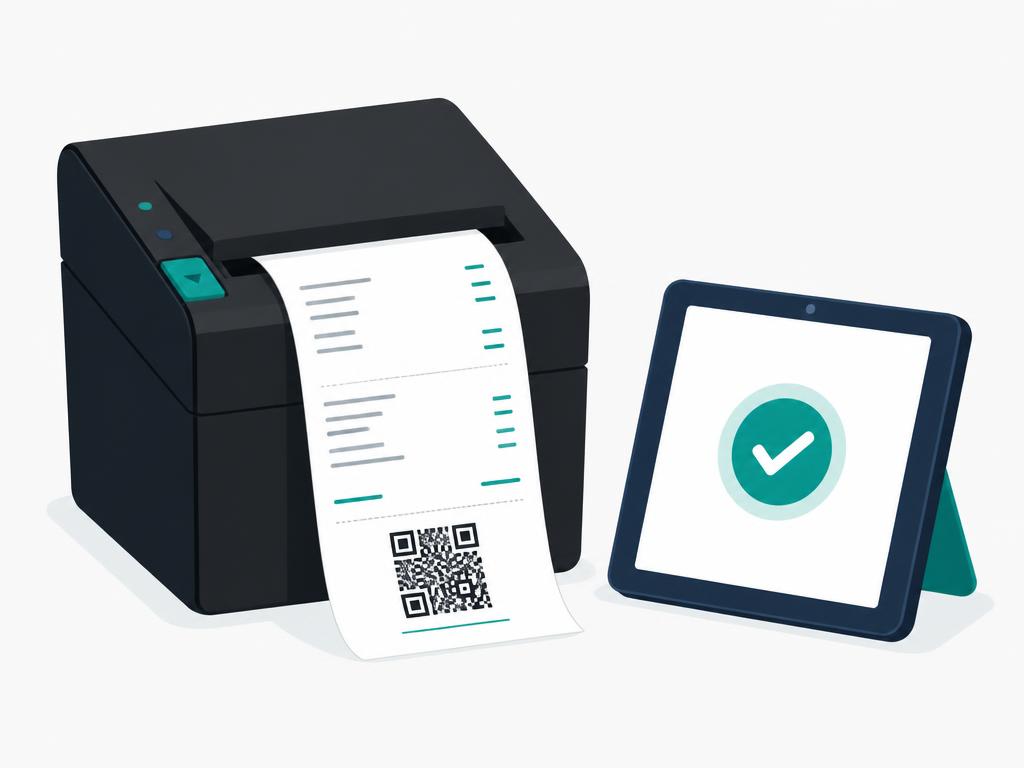
const bytes = Buffer.from(res.escpos_80_base64, "base64"); socket.write(bytes); // network printer on port 9100 // Windows: fs.writeFileSync("\\\\.\\USB001", bytes) - 5
Certify on the test device
Run your full flow against the test device: a normal sale, a multi-line sale, a zero-rated and an exempt line, a multi-currency sale, a credit note, and a retry of the same receipt_number. Send us the receipt numbers and we verify them against ZIMRA with you.
- 6
Go live
The merchant registers their production ZIMRA device in the portal and generates a production token. Nothing changes in your code — swap the token, keep the same endpoints.
What the response looks like
{
  "receipt_id": "0f0b…",
  "receipt_number": "INV-000123",
  "status": "fiscalised",
  "fiscal_day_no": 42,
  "receipt_global_no": 1187,
  "verification_code": "A1B2-C3D4-E5F6",
  "qr_url": "https://receipt.zimra.org/…",
  "pdf_url": ".../api/public/v1/receipts/0f0b…/pdf",
  "escpos_url": ".../api/public/v1/receipts/0f0b…/escpos",
  "escpos_80_base64": "G0AbYQE…"
}
Re-posting the same receipt_number returns the original result with status: "duplicate" — retries never double-fiscalise.
Endpoints
| POST | /api/public/v1/receipts | Fiscalise a receipt, get the result in the same response |
| GET | /api/public/v1/receipts/{id} | Fiscal metadata for a receipt |
| GET | /api/public/v1/receipts/{id}/escpos?width=80|58 | Raw ESC/POS bytes (or base64 with format=json) |
| GET | /api/public/v1/receipts/{id}/pdf | A4 PDF tax invoice |
Error codes
| UNAUTHORIZED | Missing or invalid API token |
| INVALID_PAYLOAD | Schema violation — issues[] names the fields |
| DEVICE_NOT_CONFIGURED | Merchant has no active ZIMRA device |
| DAY_CLOSED | No fiscal day is open |
| MISSING_ORIGINAL_RECEIPT | Credit note without a valid original receipt |
| INVALID_TAX | Tax code or rate not registered on the device |
| DEVICE_BUSY | Another receipt is submitting — retry shortly |
| ZIMRA_UNAVAILABLE | ZIMRA unreachable — safe to retry |
What you need from the merchant
- An API token from their QRFRS portal.
- Their branch and till identifiers, if they run more than one.
- HS codes and tax codes for their products — ZIMRA requires them per line.
- An open fiscal day, or the automatic day cycle switched on.
Common blockers
- Missing HS codes — the single most frequent cause of a failed go-live.
- Tax codes that are not registered on the merchant's device.
- Reusing a
receipt_numberfor a different sale. - Posting to a branch that has fiscalisation switched off in the portal.
Ready to start?
Email us for an FDMS test device and we will have your sandbox, portal account and API token ready, then walk your team through certification.